Your printer is an investment, and like any piece of technology, it requires regular care to perform at its best. Proper maintenance not only extends the life of your printer but also ensures consistent print quality and reduces the likelihood of unexpected breakdowns. In this guide, we share essential maintenance tips that are easy to follow and highly effective.
Keep Your Printer Clean
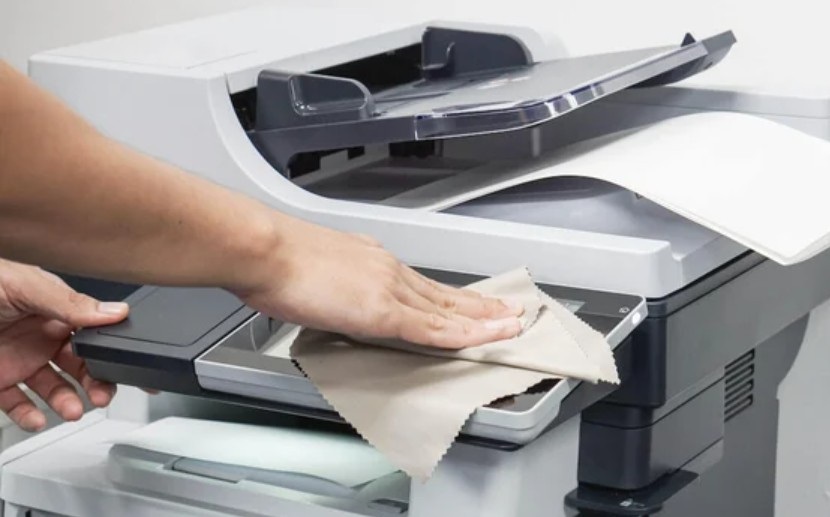
Dust and debris are among the biggest enemies of printers. Over time, dust can accumulate inside your printer and interfere with moving parts, sensors, and print heads. Make it a habit to clean your printer every few months. Start by unplugging the printer and removing any paper from the trays. Use a soft, lint-free cloth slightly dampened with water to wipe the exterior surfaces. For the interior, use a can of compressed air to gently blow out dust from hard-to-reach areas. Pay special attention to the paper rollers, as dust on these can cause paper feed issues. If your printer has a flatbed scanner, clean the glass with a glass cleaner and a soft cloth to avoid streaks on scanned documents.
Use Your Printer Regularly
It may seem counterintuitive, but using your printer regularly is actually good for its health. Printers that sit unused for long periods are more likely to experience problems. Ink cartridges can dry out and clog the print heads, leading to poor print quality. Try to print at least once a week, even if it is just a test page. Many printers have a built-in maintenance function that you can run periodically to keep the print heads in good condition. Regular use keeps the ink flowing and prevents the mechanical parts from seizing up due to inactivity.
Use Quality Supplies
The quality of the supplies you use has a direct impact on your printer's performance and longevity. Always use paper that meets the specifications recommended by your printer manufacturer. Low-quality paper can produce more dust and fibers, which can accumulate inside the printer and cause problems. When it comes to ink or toner, use reputable cartridges. Poor-quality cartridges can leak, produce inferior prints, and even damage your printer's internal components. Store your paper and cartridges properly. Paper should be kept in a cool, dry place, and cartridges should be stored in their sealed packaging until you are ready to use them. Following these simple practices will help your printer deliver reliable performance for years to come.
Update Firmware and Drivers
Printer manufacturers occasionally release firmware updates that fix bugs, improve performance, and enhance compatibility with new operating systems. Check for firmware updates periodically through your printer's settings menu or the manufacturer's support website. Similarly, keep your printer drivers up to date, especially after upgrading your computer's operating system. Updated drivers ensure your printer communicates correctly with your computer and can resolve many common printing issues before they start.